“RevBench” Software
(Current version 3.1.8, released 2026-03-28):
Download Latest Release 3.1.8: https://www.precisiondynotech.com/files/Software/RevBench_Installer_3.1.8.exe
View Setup Videos Here on YouTube
Significant changes are in the 3.0.0 release; please email me (Sean@PrecisionDynoTech.com) if you have issues updating.
Version 3.1.8 Changelog (2026-03-28):
- Added Density Altitude
- Remove tests from compare window when they are individually closed
- Max size of custom gauges increased.
- Simplified RPM settings widget to reduce confusion of settings application.
- Added power band window in test viewer
- Find the most area under the curve for defined RPM range.
- Added shift analysis feature
- Helps to determined best shift points for vehicles with transmissions.
- Removed red arc definition from gauge settings as it was unneccesary.
Version 3.1.7 Changelog (2026-03-16):
- Fixed calculation error of correction factors.
- Fixes to inertia calculations and filtering
- Average plot now visible with other tests also visible.
Version 3.1.4 Changelog (2026-03-10):
- Fixed issue with test viewer not calculating power correctly with hardware timestamps.
Version 3.1.3 Changelog (2026-03-10):
- Added Max HP and Torque values of Average plot to printout
- Added live plot as a custom widget option
- Changed resizing method of custom gauges.
- Right click, unlock, then drag the corners
- Lock movement of gauge again to hide corners
- Fixed bug in test viewer which was using the un-synced rpm values
- Added ability to change decimal places in test viewer.
- Right click desired measure in the list to change the amount of decimals displayed
- Added ability to add a gear ratio for chassis dynos
- Useful for chassis dyno brakes that are not directly coupled to rollers
- Added a tool to help determine the gear ratios of unknown chassis dyno gearboxes.
- Added a similar ratio tool to determine final drive ratios on the RPM setup page. This tool calculates the effective ratio between the RPM input source and the engine RPM.
- Useful for chassis Dynos using the DC-1 or DC-2 with only 1 RPM input.
Version 3.1.2 Changelog (2026-03-06):
- Added an optional ‘average’ plot to the comparison plot to average multiple tests.
- Fixed bug where the test viewer was using the incorrect RPM data for the X-axis
- Only an issue for dynos that have gearing between the brake and engine. Test data was not changed, so previous tests made on older software versions are still fine.
- Torque gauges in the custom view can be Zero’d by right clicking and clicking “Zero load cell”.
- Removed computer specs from printed plots.
- Added option to print the comparison tab of the test viewer.
Version 3.1.1 Changelog (2026-03-05):
- Fixed bug with speed channel not working after program restarts until after clicking apply.
- Added seconary y-axis to all plots to display data on a different scale.
- Added data labels and cursors to the compare test tab.
Version 3.1.0 Changelog (2026-03-03):
- Added AFR plot of voltage value pairs
- Also allow different fuel types or lambda
- Added ability to save and load AFR sensors
- Included 3 AEM models with install
- Added ability to define and save custom analog gauges
- Fixed test viewer not moving to be on top at completion of a test if it was already open.
- Changed x100 multipliers on analog gauges to not get behind the center of needles with some screen layouts.
- Gauge row visiblity checkboixes now saved to config.
- Fixed test names color when application is using light theme.
Version 3.0.11 Changelog (2026-03-03):
- Fixed firmware issue update bug if user did not have WinUSB driver installed.
- Added additional separate window to show custom gauges, for use on an additional monitor.
- Fixed scaling issue on digital gauges
- Fixes test viewer not opening after completed tests
- Restore load cell filtering from saved config file upon restarting application.
- Added ability to send saved tests directly to Precision DynoTech support via RevBench
- Changed user data path to roaming instead of local (APPDATA instead of LOCALAPPDATA)
- This is mainly for enterprise level systems (colleges, corporations, etc).
- This is mainly for enterprise level systems (colleges, corporations, etc).
Version 3.0.6 Changelog (2026-02-27):
- Fixed bug not showing two RPM channels with an equipped device.
- Added ability to send error logs for support.
Version 3.0.4 Changelog (2026-02-27):
- Fixed additional firmware installation issues.
- Saving device serial number to all dyno logs.
Version 3.0.3 Changelog (2026-02-27):
- Fixed firmware installation issue if users computer did not have required libraries.
- Added ability to export and import configuration files.
- Reduced load times on initial application startup.
Version 3.0.2 Changelog (2026-02-26):
- Implemented firmware downloading and updating within the RevBench software under the About menu.
- Firmware and Software update checks upon software startup.
- Fixed issue with color-picker box aspect ratios.
- Test names in comparison tab no longer change to selected test color, and instead have color-boxes next to them.
Version 3.0.1 Changelog (2026-02-26):
- Fixed issue with analog guages not allowing option to select thermocouples on equipped units
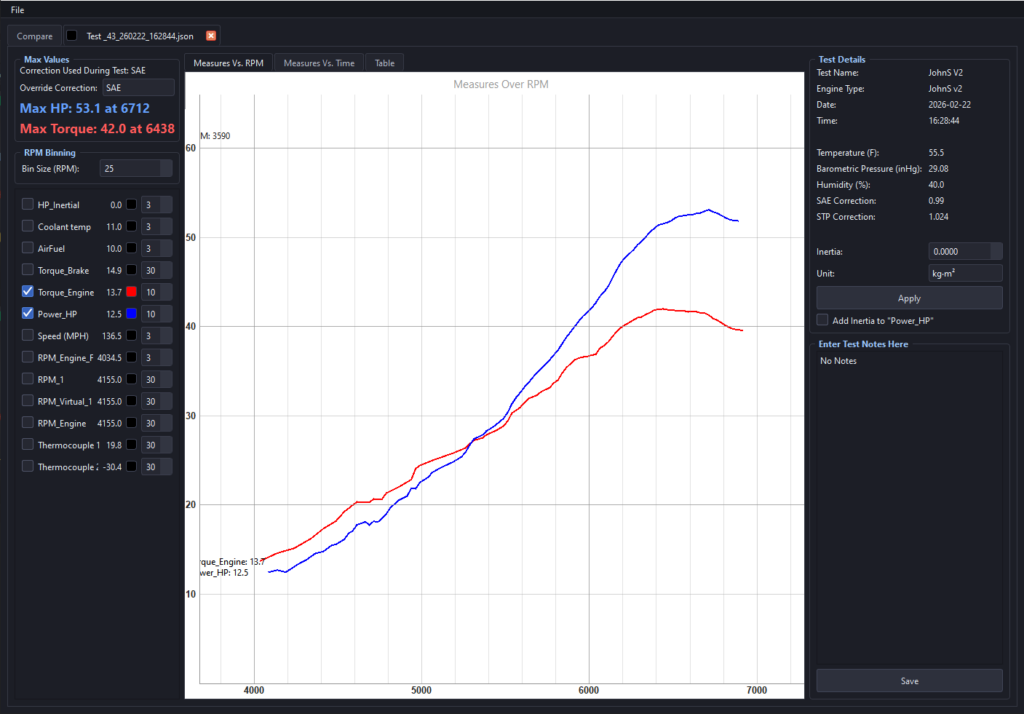
- Added RPM Bin filtering to the Test Viewer to smooth plots with noisy RPM signals.
- Added save prompt when closing a test with unsaved changes.
Verison 3.0.0 Changelog (2026-02-25):
- Added Inertial Compensation
- Can be adjusted post-test in the test viewer to fine tune inertia values of the engine-dyno system.
- Only applies to firmware 3.0.0 or later; email me if you need to update your firmware.
- Dark and Light themes
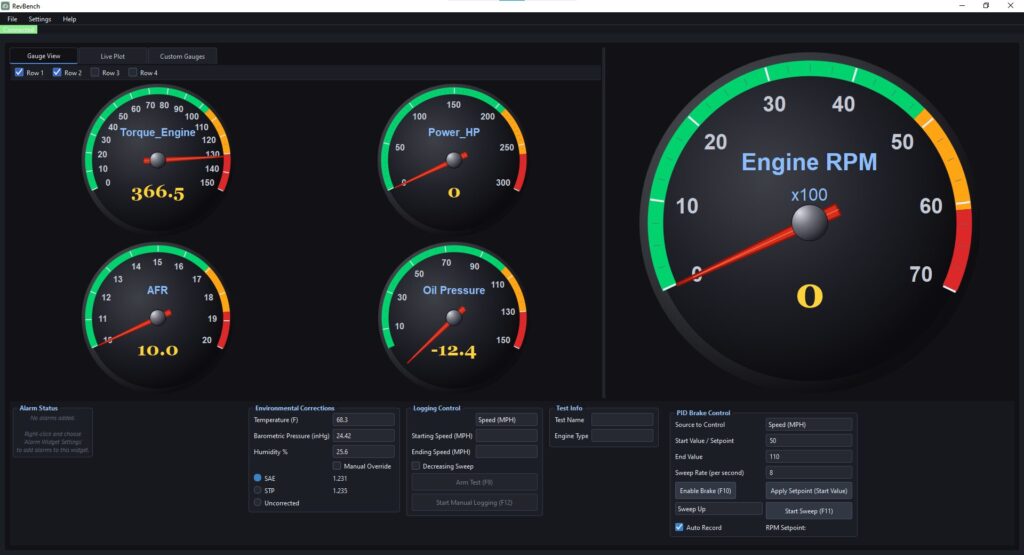
- Major changes to gauge displays
- Modernized look
- Custom Guage tab; user definable
- Add as many as you want and position them however you’d like
- Added bar gauge and digital gauge
- Definable colored arcs on analog gauges
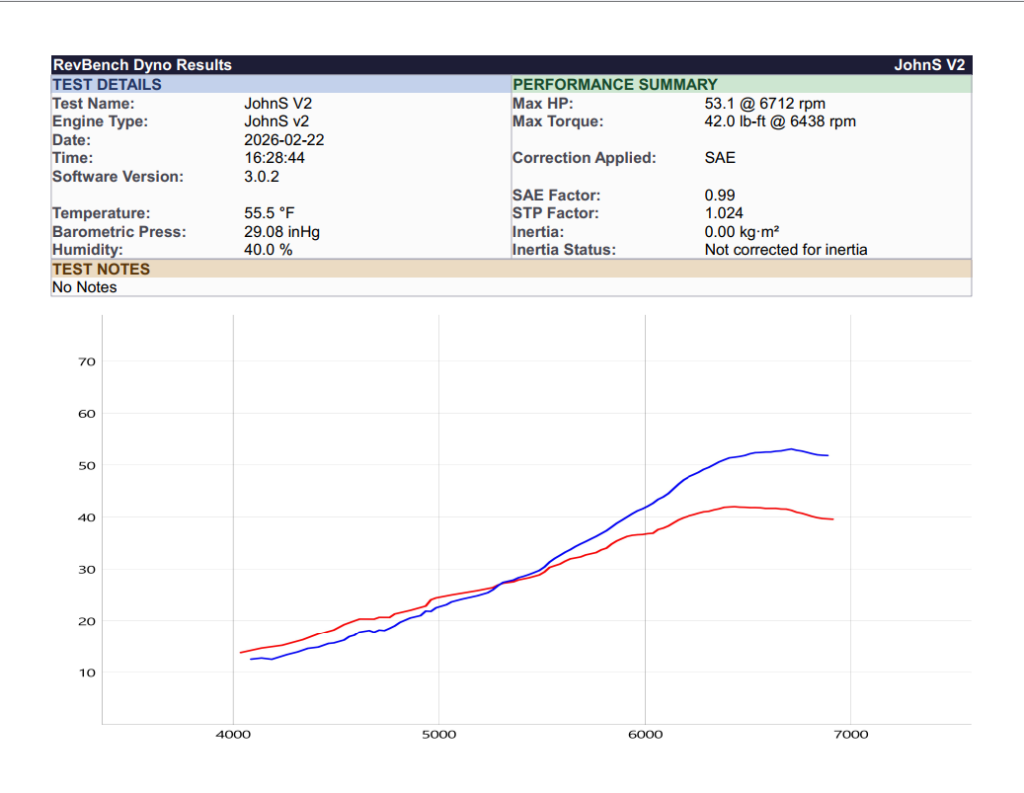
- Improved printed tests
- Added test details and performance metrics
- Cleaned up layouts
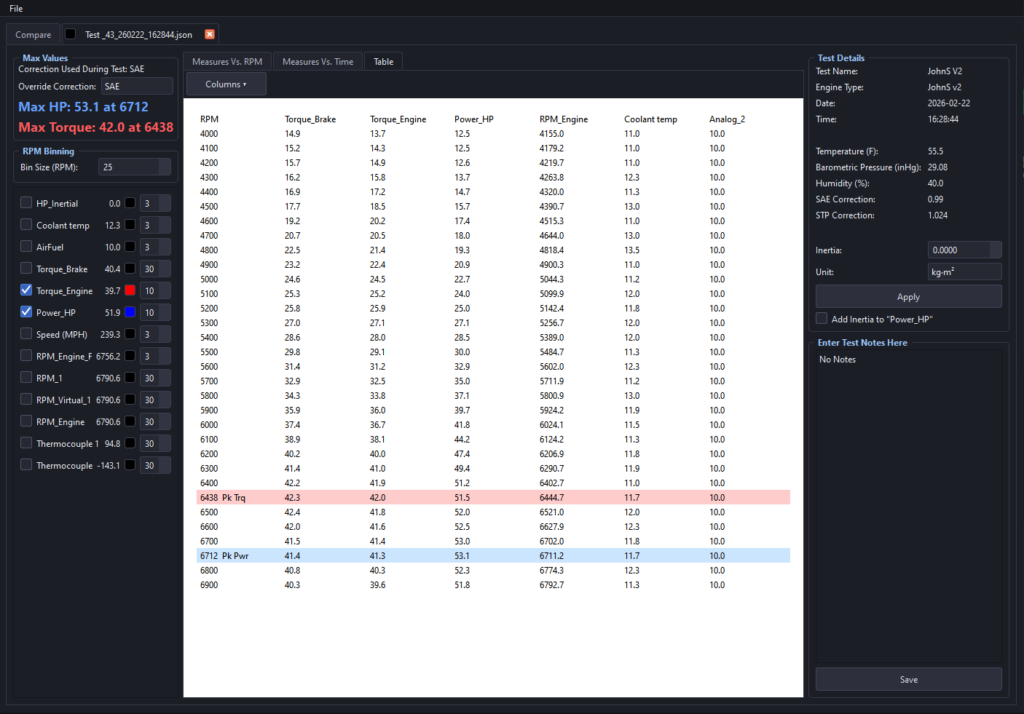
- Table View highlights peak power and torque
- Selectable data measures; only show what you want!
- Values of data measures displayed next to the cursor in test view
- Added ability to upload company logo
- Can be added in custom gauge view as well
- Added decreasing sweep tests
- Added alarms
- User-definable conditions
- Countless subtle UI changes
- Export test files to CSV
- Probably more that I’m forgetting!
————————————————
Previous Version 2.3.3: https://www.precisiondynotech.com/files/RevBench_Installer_2.3.3.exe
————————————
Microsoft Visual C++ Redistributable
(Only needed if not already installed. If you get an error trying to run the RevBench software, try installing this).
https://www.precisiondynotech.com/files/VC_redist.x64.exe